

Trading bots
Build trading bots. Your way.
Turn TradingView alerts into live trades or connect strategy logic from your own environment. With Quant, build no-code strategies, deploy directly from Labs and run managed code on TR8DE.AI.
Pro and Expert support TradingView and External Code bots. Quant adds No-Code, Labs and managed code hosting. Pay As You Go users can follow Marketplace bots and strategies.

Why traders move
Bring the workflow together.
Move beyond a standalone bot dashboard. TR8DE.AI brings automation, multi-exchange execution, venue-specific data, AI research, strategy development, managed hosting and verified publishing into one connected workspace.
- Terminal, bots and research in one workspace
- Venue-specific capability views
- No profit, no success fee — never more than $1 per trade
- Exchange-specific historical data
- Faith-aligned screening and spot-only boundaries
- Trading assets remain at the connected exchange
Build
Four ways to automate.
No-Code
Quant onlyStart with a strategy. Make it yours.
Choose a prebuilt strategy and configure the exchange, pair, allocation and parameters without writing code. Quant includes strategies such as DCA, Grid, Trend and Breakout, with more available inside TR8DE.AI.
TradingViewMost popular
Pro, Expert & QuantTurn TradingView alerts into live trades.
Create a bot, copy its webhook URL and payload into a TradingView alert, and let TR8DE.AI validate and execute supported instructions through your connected exchange.
External Code
Pro, Expert & QuantBring your logic to our execution layer.
Connect your own strategy logic through a signed webhook and start from a ready-to-run Python example. Your code generates the instruction; TR8DE.AI handles venue-specific execution.
Signed requests and supported IP allowlisting help protect the execution path.
Labs
Quant onlyBuild it. Validate it. Deploy the same version.
Design visually, work in Python, or ask the Labs Co-pilot to help build the strategy and code. Backtest against exchange-specific historical data, validate it, then deploy the same version you tested.
One guided flow
From idea to active bot.
Drafts save automatically. Every bot begins private.
- Name and describe the bot.
- Choose TradingView or External Code; Quant also unlocks No-Code and Labs.
- Select a supported connected exchange.
- Choose the spot pair and order size.
- Set optional limits and protection.
- Create and activate.
Start with a valid instruction
Get the payload right before it trades.
Signal cookbook
14 ready-to-use examples. No payload guesswork.
Use examples for entries, exits, stops, take profit, brackets, trailing, conditional, iceberg and time-in-force. See if its venue-native or managed by TR8DE.AI.
Signal Tester
Test the instruction. Never place the trade.
Paste a payload into the Signal Tester and receive a five-stage pass/fail result with field-level guidance. It validates the instruction without ever submitting an order.
Pair rules
Know the venue rules before the first signal.
See minimum notional, minimum quantity, tick size, step size and precision for the selected venue before the first signal is sent.
Automation with enforced boundaries
Your rules. Enforced at execution.
Set the market, allocation, per-trade limits and operating boundaries before the bot goes live. TR8DE.AI validates every incoming instruction, refuses anything outside those rules and records the outcome.
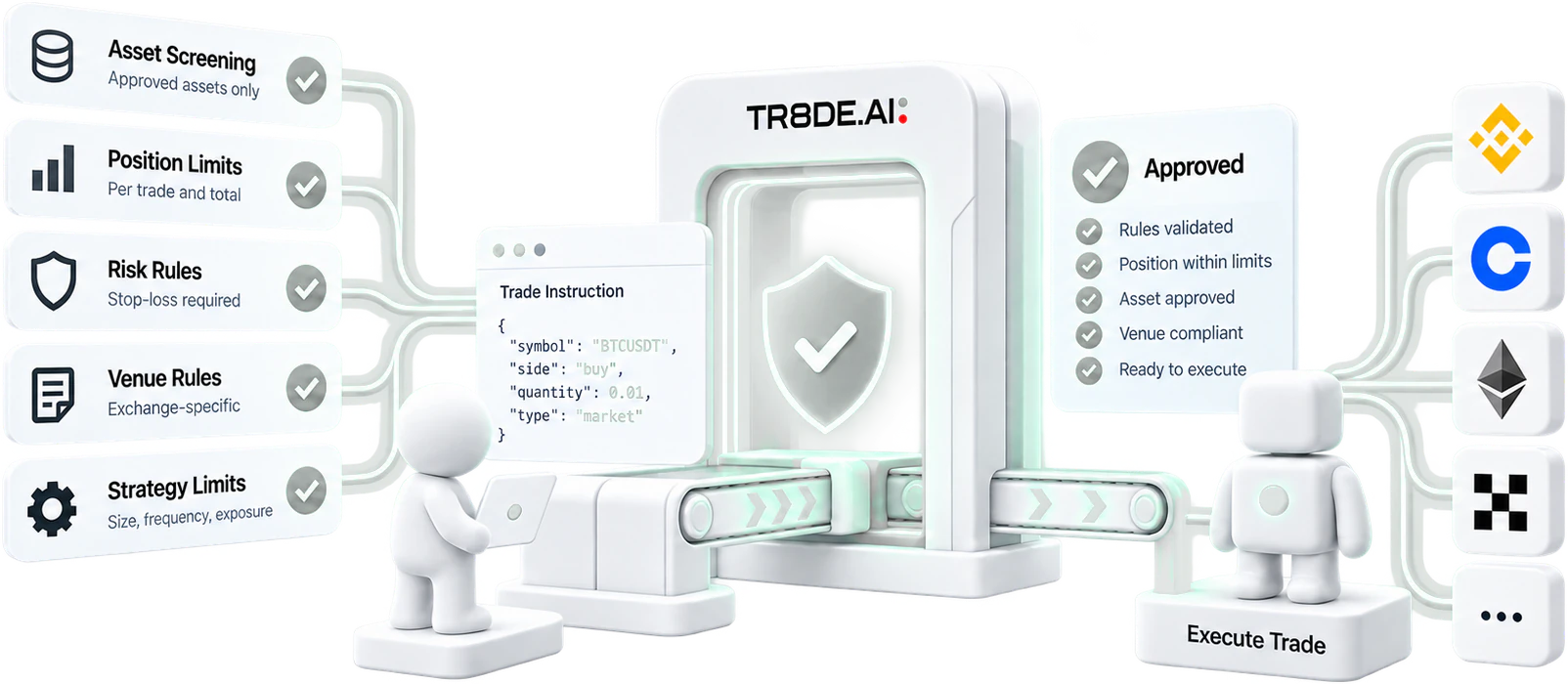
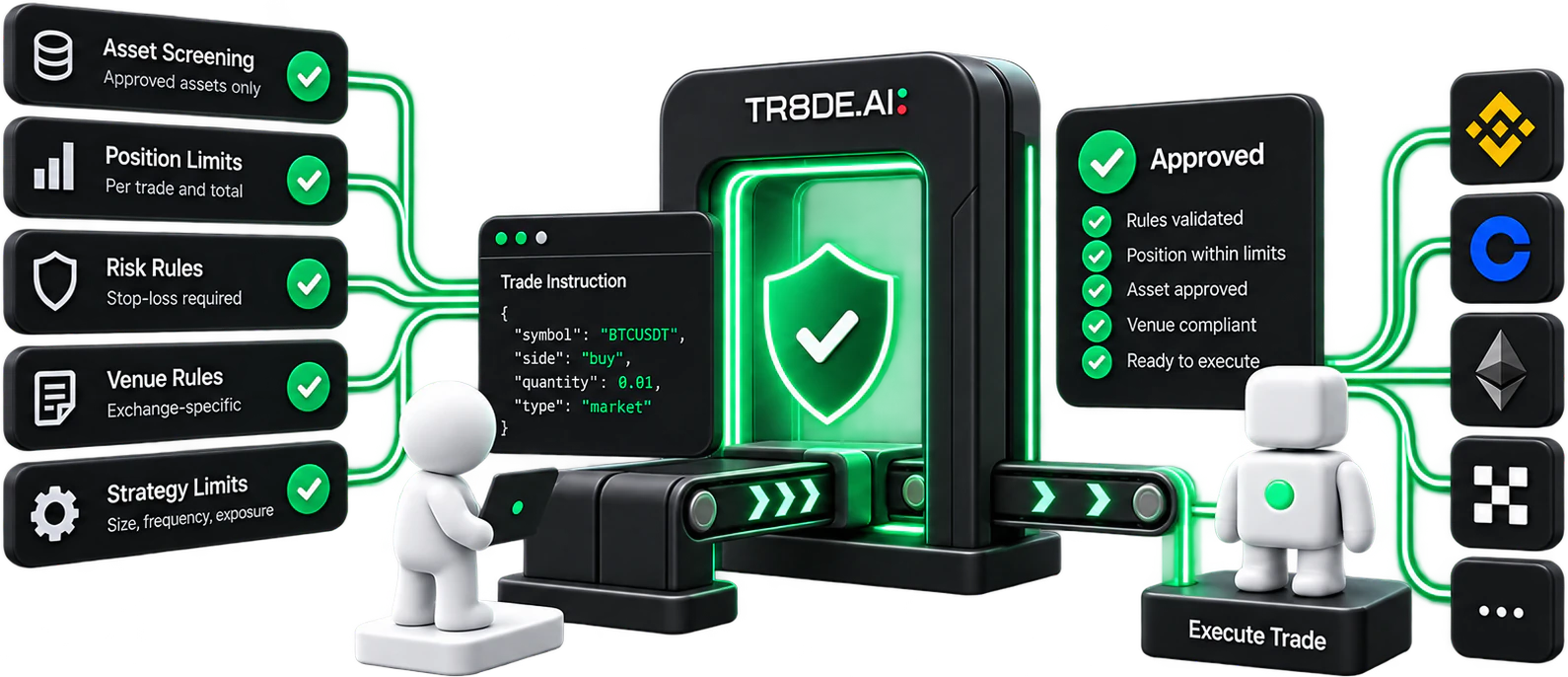
- Duplicate protection
- Every instruction is identified before dispatch and checked again in the execution queue to help prevent retried alerts from creating duplicate trades.
- Hard per-trade caps
- Set a maximum value per trade. If TR8DE.AI cannot evaluate the cap safely against trusted pricing, the instruction is refused.
- Auto-sizing
- When supported fields are omitted, TR8DE.AI can calculate amount and price from the bot’s sizing rules and current market data.
- Complete audit trail
- Every incoming instruction receives an outcome: authenticated, rejected with a reason, or executed. Sensitive credentials are redacted, and signal history remains available for 30 days.
- Manual override
- Take control from the terminal whenever needed. While manual override is active, external bot instructions are not executed. TR8DE.AI reminds you before the override automatically expires.
- Pair binding
- Each bot is locked to its assigned exchange, market and trading pair configuration. Incoming instructions are checked against that setup before execution, helping prevent the bot from acting on the wrong asset, venue or market.
Advanced bot execution
More order logic. The same clear capability view.
For bots, TR8DE.AI can manage supported trailing, trigger, bracket, iceberg and time-in-force behavior when a venue does not provide the same native workflow. The interface clearly shows whether execution is handled by the exchange or by TR8DE.AI.
Bot stop-loss and take-profit functionality should not be relied upon as the sole form of protection.
Exchange availability
28+
Bot execution is available across 28+ supported exchange connections. Capabilities vary by venue, and TR8DE.AI shows exactly which automation and order functions are available on each connected exchange.
Always on without your own server
Your bot runs here. Your computer can sleep.
Quant onlyWith Quant, TR8DE.AI can host the bot’s managed execution environment, so no personal server, hardware or always-on computer is required. Build, monitor, pause and manage it from one platform.
- Managed execution
- No personal hardware
- Live health status
- Pause any time
- Complete history
- Deploy straight from Labs
Marketplace bridge
Build privately. Publish when it qualifies. Earn when followers perform.
Every bot starts private. Once it establishes the required live record and qualifies for the Marketplace, you can publish it for others to follow.
Followers choose their own connected exchange and allocation. When a follower completes a qualifying profitable trade, the creator earns a share of the Marketplace success fee.
Guidance when you need it
82
82 tutorial videos with written walkthroughs — from exchange connections and automation setup to bot controls — without leaving TR8DE.AI.
- Build
- Qualify
- Publish
- Earn
Your strategy. Executed with discipline.
Start with TradingView alerts or your own strategy logic. Quant adds No-Code, Labs and managed hosting.